
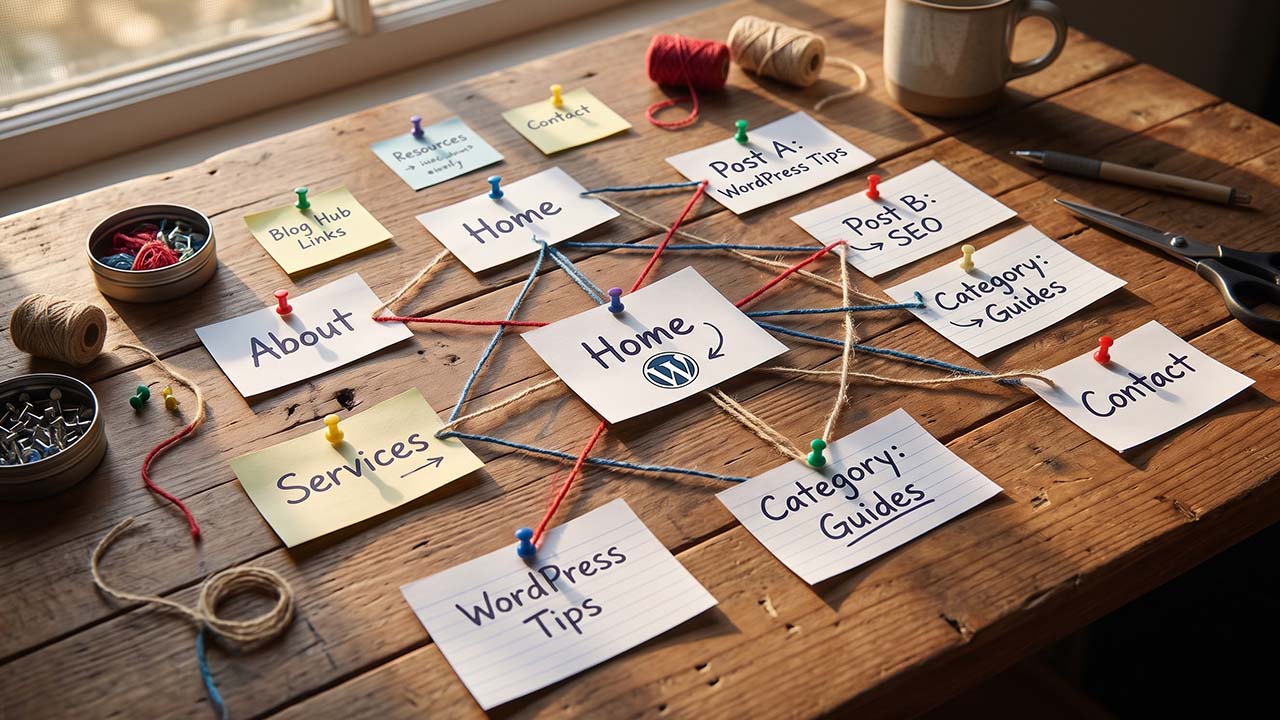
Most sites have internal links. Very few have an internal link plan. The difference shows up in a specific, familiar symptom: a good article that gets no traffic because nothing links to it, sitting three clicks deep behind a category archive nobody visits.
External links are earned. Internal links are decisions, and you can make all of them this week. Google says paying attention to the anchor text of internal links can help “both people and Google make sense of your site more easily and find other pages on your site,” and adds a line that functions as a test: every page you care about should have a link from at least one other page.
That is the whole audit, in one sentence. Everything below is how to satisfy it at scale without turning the site into a pile of keyword-anchored footer links.
What Google Says, and What It Leaves to You
The published guidance is short and unusually concrete. Four points cover it:
- Links have to be crawlable. Google extracts URLs from
<a>elements with anhref. Links inserted by JavaScript are fine as long as the markup is real, as the JavaScript SEO basics explain; a<span>or adivwith a click handler is not a link as far as a crawler is concerned. - Anchor text describes the target. “Good anchor text is descriptive, reasonably concise, and relevant to the page that it’s on and to the page it links to.” Generic text — “click here”, “read more” — throws away the only words that explain the destination.
- There is no ideal link count. Google says so directly: “There’s no magical ideal number of links a given page should contain. However, if you think it’s too much, then it probably is.”
- Do not chain links. A sentence with five consecutive links has no context for any of them.
What Google does not publish is a formula, a preferred structure, or a ratio. That is left to you, which is why two sites with identical content can have completely different internal link graphs — and why the graph, not the content, is often the thing to fix.
Three Layers, Three Different Jobs
An internal link map is easier to build once you separate the layers, because they fail in different ways.
| Layer | Job | Typical count | Anchor style |
|---|---|---|---|
| Global navigation | Make the site usable | 5–10 items | Page names |
| Hub pages | Introduce a topic and collect its pages | One per cluster | Topic phrase |
| Contextual links | Carry relevance and discovery | 2–4 per article | Descriptive phrase |
Navigation is for humans and for crawl discovery. Every site has it, and it is why almost no page is technically an orphan — the header and footer link the same twenty pages on every page of the site. That is also its limit. A link that appears on 4,000 pages describes nothing about the relationship between two specific articles.
Hubs are the pages that answer the broad version of a query and can honestly link to the narrow pages underneath. A hub is not a category archive with an excerpt list; it is a page with an argument and a reason to send a reader deeper. The semantic SEO guide covers why that distinction matters for entity coverage: the hub establishes the topic, and the supporting pages cover its parts.
Contextual links are the ones this article is mostly about. They live in the body, they appear where the reader needs them, and their anchor text is the only place on the page where you can tell Google what the destination is about.
Pick Hubs Before You Add a Single Link
The most common mistake is starting from the article and asking “what should this link to?” That produces a site where every post links to the four posts published nearest to it, which is a timeline, not a map.
Start from the hub instead. A usable hub passes three tests:
- It already exists and ranks for the broad query. Building a hub page as an afterthought produces a page with no traffic to distribute.
- It mentions the topic. If the hub never discusses the subtopic, a link from it is a non sequitur, and readers skip it.
- It can send a reader deeper without explaining itself. The best hubs have a section per subtopic, and each section is a natural place for one link.
One hub per article is the rule this site already uses. It keeps the graph legible: each piece has a parent, and the parent has a reason to link back. When a piece genuinely belongs to two clusters — say, a caching article that is both performance and WooCommerce — pick one hub and link to the other piece contextually.
The homepage is a poor hub for everything. It can introduce the business, not fifteen unrelated topics, and using it as the parent of every article produces a star graph with no topical structure at all.
Build the Inventory in One Command
You cannot audit links you have not listed. Start with every published URL on the site:
# One row per published URL, ready for a spreadsheet
wp post list --post_type=post,page --post_status=publish \
  --fields=ID,post_title,post_date,post_name --format=csv > inventory.csv
Then add five columns by hand. This is the afternoon part, and it is the part that produces the map:
- Cluster — the topic the page belongs to. Five to ten clusters is manageable; thirty is a sign the site has no structure.
- Role — hub, supporting, utility (contact, privacy, terms), or dead weight.
- Primary query — the one query the page is written to answer.
- Inbound — how many internal links point to it, from the audit in the next section.
- Outbound — how many internal links it contains in the body.
Two findings usually appear by the third column. A cluster with no hub, which means several pages are competing for the same broad query. And a set of utility pages carrying more internal links than the articles, because the footer links them sitewide.
Find the Pages Nothing Links To
The body-link count is the number that matters, because navigation links every page equally and therefore distinguishes nothing. This script reads every published post and page, resolves each href to a post ID, and counts the links each target receives from body content:
<?php
/**
 * internal-link-audit.php — inbound body links per published page.
 * Run: wp eval-file internal-link-audit.php > links.csv
 */

$ids = get_posts(
	array(
		'post_type'      => array( 'post', 'page' ),
		'post_status'    => 'publish',
		'posts_per_page' => -1,
		'fields'         => 'ids',
	)
);

$inbound = array_fill_keys( $ids, 0 );

foreach ( $ids as $source ) {
	$content = (string) get_post_field( 'post_content', $source );
	preg_match_all( '#href=["\']([^"\']+)["\']#i', $content, $matches );

	$targets = array();

	foreach ( $matches[1] as $href ) {
		$target = url_to_postid( $href );

		if ( $target && $target !== $source && isset( $inbound[ $target ] ) ) {
			$targets[ $target ] = true;
		}
	}

	foreach ( array_keys( $targets ) as $target ) {
		$inbound[ $target ]++;
	}
}

asort( $inbound );

$out = fopen( 'php://stdout', 'w' );
fputcsv( $out, array( 'url', 'title', 'inbound_body_links' ) );

foreach ( $inbound as $id => $count ) {
	fputcsv( $out, array( get_permalink( $id ), get_the_title( $id ), $count ) );
}

fclose( $out );
The output is sorted ascending, so the zero rows are at the top. Those are the pages that need a link, and the number next to them tells you how much work the rest of the site needs.
Three notes on running it:
url_to_postid()resolves URLs on the current site. Relative paths work; links to other domains resolve to zero and are skipped, which is what you want. The function reference documents the resolution rules, including theurl_to_postidfilter that can change them.- It counts unique targets per source. A page that links to the same URL four times still adds one, because the audit is counting distinct recommendations rather than occurrences.
- It does not read navigation, widgets, or page-builder content stored outside
post_content. That is deliberate — the audit is about body links — but it means an Elementor or block-theme site needs a manual check on the pages the script marks as zero.
If you would rather query the database directly, wp db query works, but the SQL version has to match href strings in post_content, and a string match cannot tell an internal link from an external one that happens to contain the domain. The PHP version resolves the URL properly, which is why it is the one to keep.
Decide Where the Link Comes From
Once the zero rows are visible, the temptation is to link them from the newest article and move on. That produces a second timeline and leaves the real problem in place: the link carries no relevance.
Choose the source by subject, not by date. For each orphaned page, ask which existing page a reader would be reading when they want this one. That page is the source. If there is no such page, the orphan may be a page that should not exist, or a page that belongs inside a hub you have not written yet.
The practical rule for a site publishing on a schedule:
- One hub link out. The new article links to its hub in the first third of the body.
- One hub link in. The hub gets a contextual link to the new article in the matching section.
- Two sibling links each way. The new article links to two older pieces in the same cluster, and two of those pieces get a link back.
That is six links placed per article, three in each direction, all of them relevant, and it keeps the graph connected as the site grows. It is also the mechanism that makes a hub page work: without inbound links from its children, a hub is just another URL.
Write the Anchor, Then Check the Sentence
Anchor text is where most internal linking advice goes wrong, because it is easy to optimize the words and ignore the sentence. Google’s guidance covers both: the anchor should be descriptive, and the surrounding text supplies context.
A short test from the documentation: read only the anchor text, out of context. If you cannot tell what the destination is about, the anchor is too generic.
| Weak | Better |
|---|---|
| Read more | the WordPress cron replacement guide |
| Click here | how to audit plugin performance |
| This article | object caching with Redis |
| WordPress | WordPress transient API limits |
The better column has two properties. It is specific enough to stand alone, and it is short enough to sit inside a sentence without becoming the sentence.
Three habits to avoid:
- Do not repeat the same exact anchor sitewide. It reads like manipulation and wastes the chance to describe the page in different useful ways.
- Do not stack links. One link per sentence, with the surrounding prose doing the work.
- Do not link every mention of a term. The first useful mention is usually enough; the fifth is noise.
The Link Graph Is Not the Sitemap
A sitemap lists URLs. A link graph recommends them. Google uses both, for different things, and confusing them produces two common errors. The SEO Starter Guide states the discovery side plainly: Google primarily finds pages through links from other pages it has already crawled.
The first is treating an XML sitemap as a substitute for links. It is not. Google’s sitemap documentation describes a sitemap as a file that tells search engines which pages you think are important and helps them crawl the site more efficiently. That is a list with metadata. A sitemap carries no anchor text and no sentence explaining why one page leads to another, so a page that appears only in the sitemap and never in a body link is listed but never recommended.
The second is trusting breadcrumbs to do the linking job. Breadcrumb markup expresses hierarchy and can replace the URL in a search result, which is useful. It does not replace contextual links, and it should match the visible breadcrumb rather than describe a hierarchy the site does not have.
Where the graph and the structure should agree is the URL. If a page lives at /seo/technical/ and every internal link describes it as a performance article, one of the two is wrong. The page structure guide covers the URL side; the anchor text is the other half.
Measure the Right Signal
Internal linking produces two effects on different clocks, and measuring the wrong one makes a working map look like a failure.
Discovery is fast. When you add links from pages Google already crawls, the new targets get fetched sooner. The signal to watch is crawl activity on the previously orphaned URLs, not rankings. Search Console’s crawl stats and the server access log both show it, and the SEO basics guide covers the crawl-and-index fundamentals behind those reports.
Ranking is slow. A link changes how the target is understood, and that takes time to show up in positions. A page that gained three relevant internal links this week will not report a different average position next week, and judging the map by that number leads to abandoning it too early.
For the link inventory itself, Search Console’s Links report has an internal section: top linked pages from your own site, and which pages link to a given page. Two caveats matter. The report shows a sample rather than every link, and its tables stop at 1,000 rows while the export goes to 100,000. Treat it as a cross-check on the script, not as the audit.
A simpler measure works better on small sites: the count of pages with zero inbound body links. That number should fall every month. If it does not, the publishing rule is not being applied.
Where an Internal Link Map Goes Wrong
Four failure modes account for most of the damage.
Sitewide footer links with keyword anchors. Every page linking to the same five commercial pages with the same anchor is the internal equivalent of a paid link block. It adds no context and looks engineered because it is.
A related-posts widget as the only mechanism. Most related-post modules choose by recency, category, or tag overlap. That produces links between pages that share a tag, not pages that share a subject, and the anchor is usually the post title. Some plugins expose settings that make the module more selective, and the SEO plugin comparison shows which ones do. Even then, a module is better than nothing and worse than three deliberate links, because it never asks which page a reader is on.
Hiring someone to insert links into old posts with exact-match anchors. This is a real service, and it produces a graph that reads as manipulation: hundreds of old posts suddenly linking to one commercial page with the same phrase. If you want help, buy an audit and place the links yourself.
Deleting a hub without replacing its links. Removing a hub page orphans everything under it and leaves the supporting pages with no parent. The broken link checker workflow catches the 404s; it does not catch the pages that still exist and lost their only link.
What to Do This Afternoon
- Export the inventory with
wp post listand add the cluster and role columns. - Run the audit script and sort by inbound links. The zeros are the work.
- Name the hubs. If a cluster has no hub, decide whether one page can become it or whether the cluster should merge into another.
- Place six links per recent article: one out to the hub, two out to siblings, one in from the hub, and two in from siblings.
- Write the anchor as a description, not as a keyword, and read the sentence after you place it.
- Re-run the audit in a month and compare the zero count.
None of that requires a plugin, a budget, or a new page. It requires one export, one script, and a decision about which page owns each topic — which is the same decision the ranking guide keeps coming back to.
FAQ
How many internal links should a WordPress post have?
There is no fixed number. Google says there is no ideal count and that if it feels like too many, it probably is. Two to four contextual links plus navigation is a reasonable default for an article.
Do internal links need rel=”nofollow”?
No. nofollow is a hint that the link is not an endorsement, and on an internal link it removes the recommendation that puts the page in the site’s structure. Reserve nofollow and sponsored for outbound links you do not want to vouch for, and use noindex when the goal is to keep a page out of search results.
What is an orphan page?
A page with no internal links pointing to it. Strictly, a page in the navigation is not an orphan, which is why the strict count is usually zero on a WordPress site with a menu. The version that matters is the page with no body links, because a navigation link says nothing about what the page covers.
Does anchor text matter for internal links?
Yes. Google uses anchor text to understand what the linked page is about, and it applies to internal links as well as external ones. Descriptive anchors help; generic ones waste the signal.
Should I link to the same page more than once in a post?
One link is enough. A second link to the same URL adds nothing for the reader and clutters the page, and the script in this article counts each target once per source for that reason.
Can internal links replace backlinks?
No. They solve discovery and topical clarity, not authority from other sites. A site with a strong internal map and no external links will still struggle in competitive queries.
Do page builders store links where the audit can see them?
Not always. Elementor and several block-based builders keep content in their own data structures rather than post_content, so a script that reads post_content can miss those links. Check a page the audit flags as zero before treating it as an orphan.
How often should I redo the audit?
Quarterly is enough for a site publishing a few posts a month, and monthly if you publish daily. The number to watch is pages with zero inbound body links, not total links.
Leave a Reply