
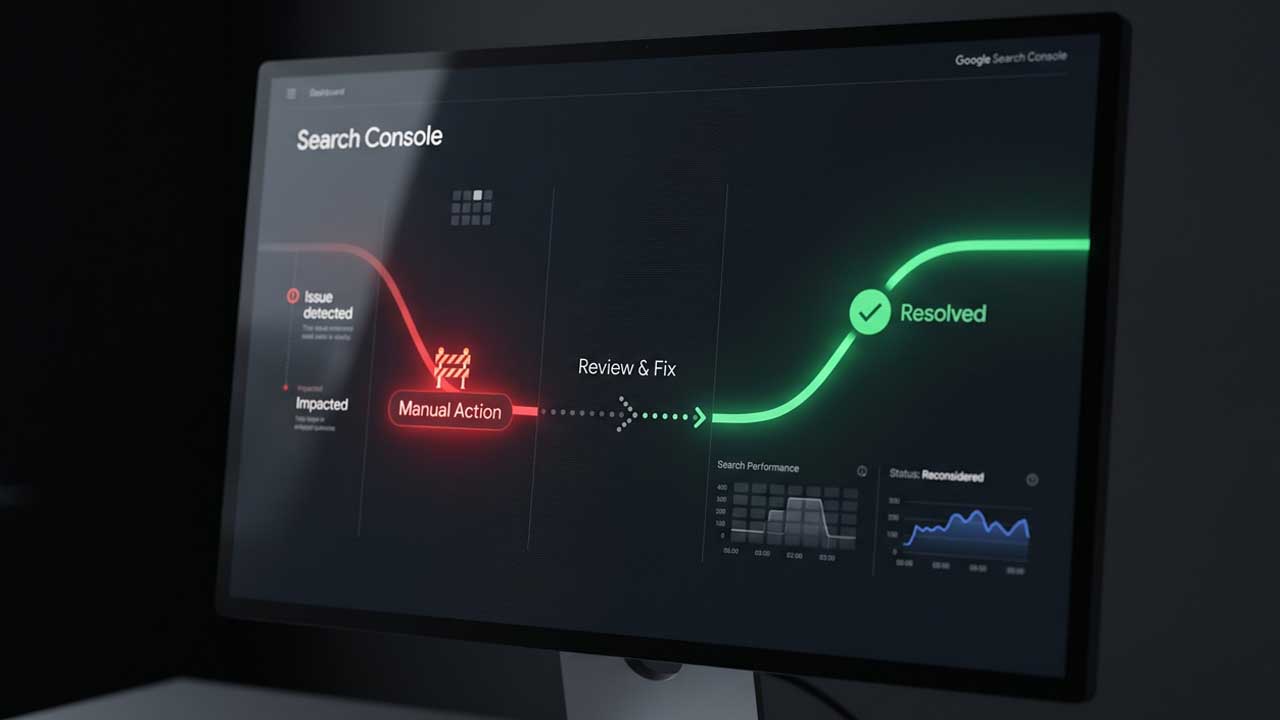
A manual action notice arrives at 9am. By 10:30 someone has filed a reconsideration request that says the team “reviewed the site and fixed the issues.” A week later the decision comes back negative and the pages are still missing.
Nothing about that sequence is unusual, and nothing about it is fixable by writing a better email. The request failed because the site had not changed. Google’s manual actions report records a human judgment about specific pages, and the reconsideration request asks a second human to confirm the judgment no longer applies. A reviewer who opens the site and finds the same thing will reach the same conclusion, however politely the request is worded.
Recovery is a sequence of real changes followed by one short message. This is that sequence, including the parts people skip.
Three Problems That Produce the Same Symptom
Traffic falls, pages vanish from results, and the site owner assumes a penalty. There are three different mechanisms that produce that outcome, and only one of them answers to a reconsideration request.
A manual action is issued when a person at Google determines that pages on the site violate the spam policies. Most of these actions target attempts to manipulate the index. The result is usually a ranking drop or removal from results with no visible warning to the searcher.
A security issue is detected when the site is hacked, serves malware or unwanted software, or tricks visitors into giving up information. These can display a warning label in the results or an interstitial page in the browser, and they live in a separate report with a separate review process.
An algorithm update is automated. It produces no report entry, no message, and no review button.
| Manual action | Security issue | Algorithm update | |
|---|---|---|---|
| Decided by | Human reviewer | Google evaluation | Automated system |
| Appears in | Manual actions report | Security issues report | No report |
| Visible warning | Usually none | Warning label or interstitial | None |
| Fix | Comply with policy, then request review | Clean the site, then request a security review | Content and time |
| Request review | Yes | Yes, in the security report | No |
The distinction matters because each path has its own queue. A security review filed through the manual actions report is filed in the wrong place, and an algorithm update has nothing to review at all.
Read the Report Before Touching the Site
The manual actions report opens with a count. Below it, each action has a description, a policy link, and a set of affected page patterns such as https://wpfrank.com/blog/* or the phrase “Affects all pages.”
Two details in that panel decide the scope of the work:
- The pattern is not the list. Google states that not every page matching a pattern is necessarily affected. The panels show examples, and the examples are a starting point for finding the rest.
- “Affects all pages” means the whole site. A directory-level pattern means a section. Fixing the homepage and hoping the rest follows does not work.
The report also keeps history. Revoked actions remain visible, which matters when you take over a site, and which is the first thing to check before buying one.
If there is no manual action and no security issue, the report is not hiding one. A green check mark means what it says, and the traffic problem is somewhere else: crawling, indexing, cannibalization, or demand. The Search Console guide covers the reports that answer those questions, and the crawlability basics cover the part that is usually broken when a site disappears without a notice.
The Actions a WordPress Site Actually Gets
Google publishes the full list in the report documentation. These are the ones that show up on content sites and stores, and what each one is really about.
| Action | What it means | First move |
|---|---|---|
| Unnatural links to your site | A pattern of manipulative links pointing in | Export the links, ask for removal, disavow what remains |
| Unnatural links from your site | Manipulative outbound links, including paid placements | Remove them or qualify them with rel |
| Thin content with little or no added value | Thin affiliate pages, scraped content, low-quality guest posts, doorways | Delete, merge, or replace with original work |
| User-generated spam | Spam in comments, forums, guestbooks, or user profiles | Close the surface and clean what exists |
| Site abused with third-party spam | The same abuse, but Google believes the site itself is sound | Clean only the affected pages |
| Structured data issue | Markup describes content that is not on the page, or content users cannot see | Make the markup match the visible page |
| Site reputation policy | Third-party content published on the site without real oversight | Remove it or bring it under editorial control |
| Back button hijacking | Code that traps the browser’s back button | Remove the script |
| News and Discover policies | Editorial policy violations for News or Discover surfaces | Editorial changes, not code changes |
The two link actions are the most common and the most misunderstood. Inbound links are covered below. Outbound links are usually the site’s own doing: paid posts, sponsored placements, and affiliate links published without a rel attribute. Google’s instruction is to remove them or change them so they no longer pass ranking signals, using rel="nofollow" or a more specific attribute.
The structured data row deserves a note for anyone who treats schema markup as a ranking lever. The action is not triggered by missing markup. It is triggered by markup that claims something the page does not show: reviews that are not visible, ratings the business did not receive, job postings on pages with no job. The fix is subtraction, not more JSON-LD.
Fix Every Affected Page, Not the One You Found
Google is direct about this: fixing the issue on some pages will not earn a partial return to results. A site with two manual actions needs both fixed before a review is worth filing.
In practice the work starts with a list. Take each action’s description, expand the affected pattern, and build a spreadsheet with one row per URL and a column for the problem and the change. This is not paperwork for Google. The reconsideration request has no attachment field, and a reviewer will not read a 40-row table. The spreadsheet exists so that you can answer, without guessing, the question the reviewer is asking: what is on this site now, and is it different from what was there when the action was issued.
Three rules keep that list honest:
- Include the pages you did not think were a problem. The pattern usually covers more than the obvious offenders.
- Record the change, not the intention. “Improved the article” is not a change. “Deleted 38 pages in
/coupons/, redirected 12 that had backlinks, rewrote 6 with original test results” is. - Leave a page alone only if you can defend it. If a page matches the pattern and you believe it is compliant, be ready to explain why.
Reachability Is Part of the Fix
Google lists a condition that surprises people: affected pages must not require a login, sit behind a paywall, or be blocked by robots.txt or a noindex directive. A reviewer cannot verify a fix on a page they cannot see.
This is where WordPress sites create their own second problem. The common causes:
- A staging site was pushed to production with “Discourage search engines” still enabled, which adds a site-wide
noindex. - A security plugin or host firewall began blocking Googlebot after a bot attack.
- A coming-soon or password-protection plugin was left active on a section of the site.
- The SEO plugin’s
noindexsetting was applied to a whole post type while cleaning up thin pages, a switch covered in the free SEO plugin comparison.
That last one is a real trap. Noindexing thin pages feels like a fix, but a page that is still published and hidden from search is not a page that was improved. If the content stays, it needs to be visible and better. If it should not exist, delete it and let the URL return a 404 or a redirect.
Check a URL the way a crawler sees it:
# Usage: ./reachability.sh https://wpfrank.com/some-page/
URL="$1"
UA="Mozilla/5.0 (compatible; Googlebot/2.1; +http://www.google.com/bot.html)"

curl -sS -A "$UA" -D headers.txt -o body.html "$URL"

grep -iE "^(HTTP/|location:|x-robots-tag:)" headers.txt
grep -io '<meta[^>]*robots[^>]*>' body.html
Read it in order. A 200 with x-robots-tag: noindex is still blocked. A 302 whose location points at wp-login.php is still blocked. A 403 to Googlebot while your browser gets a 200 is a firewall rule, and it is the single most common reason a reviewer sees nothing. The robots meta tag reference lists the directives that matter here, including none, which is noindex, nofollow in one word.
Write the Request Around Three Questions
Google’s own description of a good reconsideration request is short: explain the exact quality issue, describe the steps taken to fix it, and document the outcome.
That maps to three paragraphs, and the order is not negotiable.
What the issue was. Name it the way the report names it, and say what you found when you looked. “The action cites unnatural links to the site. We traced them to a package of directory and guest-post placements bought from an agency in 2024, and we have listed every domain that package touched.” The counts belong in this paragraph too: links found, domains contacted, domains that removed them, domains that did not respond.
What changed. Specific, countable, and verifiable. Which pages were deleted, which were rewritten, which links were removed, which remain and why.
What a reviewer will see now. Not a promise. A description of the current state: the directory no longer exists, the affiliate pages carry original photos and measurements, the comment forms are closed, the outbound paid links now carry rel="sponsored".
What to leave out: competitor comparisons, claims that the action was a mistake (unless you have evidence), statements about how seriously the team takes quality, and any request for a timeline. Reviewers read hundreds of these. Detail earns attention; adjectives do not.
Two mechanics are worth knowing before you press the button. You cannot submit another request while one is pending, so a half-finished submission costs you the queue position. And most reviews take several days to weeks, with link-related reviews taking longer than most.
Link Actions: Remove, Qualify, Then Disavow
For unnatural links to your site, the order is fixed and going out of order wastes weeks.
Start with the links report. Export Top linking sites for a hostname view, or External links > Export > Latest links for a chronological view, which is the useful one after a link purchase because the bad links cluster in time. Exports run to 100,000 rows. The on-screen tables stop at 1,000, which is why exporting matters on any site with a real link profile.
Then contact the site owners and ask for removal. Keep the sent messages; a reviewer who sees removal attempts on the domains that remain is being shown that the effort happened.
Then, for what cannot be removed, use the disavow tool. The file format has rules that catch people:
- One URL or one domain per line.
domain:spam-site.comcovers the domain and its subdomains. - Subpaths cannot be disavowed.
wpfrank.com/blog/is invalid; use the specific URLs. - Plain text, UTF-8 or ASCII,
.txtextension, one entry per line,#starts a comment. - Up to 100,000 lines and 2MB, with a 2,048-character limit per URL.
- One list per property. Uploading a new list replaces the old one.
- It does not work for Domain properties. If the property in Search Console is a Domain property, the tool does not apply.
Google’s own framing is that most sites will not need it and that used incorrectly it can harm performance. That is not a reason to avoid it after a confirmed link action. It is a reason to disavow domains you can identify as artificial rather than every link from a site you have not heard of.
Google states that a disavow list can take a few weeks to be incorporated as it recrawls the web. A reconsideration request filed the day after upload is describing a change Google has not processed yet, which is another reason link reviews take longer.
For unnatural links from your site, the work is in your own database, and it is faster. Audit paid posts, sponsored placements, and affiliate roundups for links without rel. WordPress does not add the attribute for you, and the block editor’s link field will happily publish a paid link as a clean follow.
If the site is large, the audit belongs in code. This script lists published posts and pages, flags the ones carrying a noindex value from the three common SEO plugins, and counts outbound links whose anchor tag has no nofollow, sponsored, or ugc:
<?php
/**
 * manual-action-audit.php — find pages that can block a review.
 * Run: wp eval-file manual-action-audit.php > audit.csv
 */

$noindex_keys = array(
	'rank_math_robots',
	'_yoast_wpseo_meta-robots-noindex',
	'_aioseo_robots_noindex',
);

$ids = get_posts(
	array(
		'post_type'      => array( 'post', 'page' ),
		'post_status'    => 'publish',
		'posts_per_page' => -1,
		'fields'         => 'ids',
	)
);

echo "url,noindex,unqualified_external_links\n";

foreach ( $ids as $id ) {
	$noindex = 'no';

	foreach ( $noindex_keys as $key ) {
		$value = get_post_meta( $id, $key, true );

		if ( is_array( $value ) && in_array( 'noindex', $value, true ) ) {
			$noindex = 'yes';
		} elseif ( '1' === (string) $value ) {
			$noindex = 'yes';
		}
	}

	$content = (string) get_post_field( 'post_content', $id );
	$host    = preg_replace( '/^www\./i', '', (string) wp_parse_url( home_url(), PHP_URL_HOST ) );

	preg_match_all( '#<a\s[^>]*href=["\']https?://([^/"\']+)[^"\']*["\'][^>]*>#i', $content, $matches, PREG_SET_ORDER );

	$unqualified = 0;

	foreach ( $matches as $match ) {
		if ( 0 === strcasecmp( preg_replace( '/^www\./i', '', $match[1] ), $host ) ) {
			continue;
		}

		if ( ! preg_match( '#rel=["\'][^"\']*(nofollow|sponsored|ugc)#i', $match[0] ) ) {
			$unqualified++;
		}
	}

	printf( "%s,%s,%d\n", esc_url( get_permalink( $id ) ), $noindex, $unqualified );
}
The CSV is a worklist, not a verdict. A post with four unqualified links to documentation is fine. A post with four unqualified links to the same commercial domain is the pattern the action describes. Sorting by the third column puts the candidates on top.
Two plugin notes: the meta keys above are the stored values used by Rank Math, Yoast, and All in One SEO in current versions, and they can change. If a column comes back empty across the whole site, check one post’s meta in the database before trusting the result. And run it on a staging copy if the site is large; posts_per_page => -1 loads the full content of every post into memory.
Proving Thin Content Is Gone
The thin content action names three patterns: thin affiliate pages, content taken from other sources such as scraped pages or low-quality guest posts, and doorways. The common thread is that the page exists to rank rather than to help, and the fix has to remove the reason it existed.
There are only three honest outcomes for a page in this set:
- Delete it. If it has no links and no traffic, delete it and let it 404. If it has links, redirect it to the closest genuinely useful page.
- Merge it. Ten 300-word pages about ten models become one page with a comparison table and the ten sections. Keep the strongest URL, redirect the rest.
- Rebuild it with something only you have. Measurements, test results, photographs, support transcripts, pricing you verified this month. This is the slow option and the only one that works for pages you need to keep.
What does not work is adding 400 words of general commentary to a thin page and calling it comprehensive. The pattern the reviewer is looking for is not word count. It is whether the page does something no other page does.
The page structure guide is useful here for a mechanical reason: when you merge pages, the redirect map and the internal links have to be rebuilt in the same pass, or the consolidation creates a fresh set of 404s. The dead link checker workflow covers the cleanup half of that job.
What Recovery Does and Does Not Do
Revoking a manual action removes the suppression. It does not restore the previous ranking, because the previous ranking was never a stored value that can be handed back. Once the action is lifted, the pages compete normally, and pages that were propped up by the links or thin content that caused the action will not return to where they were.
That is the honest version of the timeline:
| Stage | What to expect |
|---|---|
| Fixes applied | Days to weeks, depending on page count |
| Reconsideration filed | Confirmation email when received |
| Decision | Several days to weeks; longer for link actions |
| Action revoked | Suppression lifted; pages eligible again |
| Rankings | Rebuilt through normal ranking, not restored |
If the site was ranking because of the violation, recovery means a smaller site with fewer pages and less traffic than before. That is the intended outcome, and it is why recovery belongs at the start of a ranking program rather than at the end of one.
If You Bought the Site
The report keeps history, so a purchased site can arrive with a revoked action still visible and an active one attached to a directory nobody mentioned. Google’s instruction for the active case is specific: fix the issues, then state in the reconsideration request that the site was recently acquired and no longer violates the policies.
Two habits follow. Before purchase, ask for read access to Search Console and open both the Manual actions and Security issues reports; screenshots are easy to fake and read access is not. After purchase, treat the first 90 days as a review period: the first thing to audit is not the content plan but the pages named in the report.
FAQ
How do I know if my site has a manual action?
Open the Manual actions report in Search Console. If there is an action, the report lists its type, the affected pages, and the policy it violates, and Google also sends a message to the Search Console message center. A green check mark means no manual action exists.
How long does a manual action last?
It stays until the issue is fixed and a reconsideration request is approved. There is no fixed expiry. A site that never fixes the problem keeps the action, and a site that fixes it and does not file a request also keeps the action.
Can I request a review before I have fixed everything?
You can, but it will be denied, and the denial does not create a shortcut. Google requires the issue to be fixed on all affected pages, and filing while a request is pending is not possible, so a premature request mostly costs time.
How is a manual action different from an algorithm update?
A manual action comes from a human reviewer, appears in the report, and can be appealed. An algorithm update is automated, appears in no report, and cannot be appealed. Recovery from an update comes from improving the site, not from a request.
Do I need to disavow links after a link action?
Usually, as a last step. Remove what you can, document the attempts, and disavow the domains that remain and that you can identify as artificial. Google’s guidance is that most sites do not need the tool and that careless use can hurt.
Will ranking come back after the action is revoked?
The suppression ends, but rankings are recalculated normally. Pages that depended on the links or thin content that triggered the action will usually settle lower than they were, and pages that were genuinely useful can recover.
Can a manual action affect only part of a site?
Yes. The report can name a directory pattern or a subset of pages, and those pages are affected while the rest of the site keeps ranking. A site-wide action is described as affecting all pages.
What if the site was hit before I owned it?
Fix the issue, then say in the reconsideration request that you recently acquired the site and that it no longer violates the policies. Google documents this case explicitly, and the report history shows which actions the site has carried.
Leave a Reply