
Most maintenance teams shopping for work order management tools focus on basic operational needs: logging tickets, assigning technicians, and marking tasks as resolved.
While these baseline functions are necessary, treating them as your primary evaluation criteria is a mistake. Almost any digital ticketing tool can log an issue.
The capabilities that genuinely transform maintenance operations are the overlooked architectural tools that eliminate administrative drag, protect asset lifespans, and provide deep operational intelligence.
According to data from Plant Engineering’s Annual Maintenance Study, facilities spend upwards of 35% of their operating budgets on work order management overhead. That cost accumulates through manual dispatching, delayed parts retrieval, repeated site diagnostics, and untracked downtime.
When evaluating work order software features, looking beyond surface-level dashboards is essential. Here is an architectural breakdown of the critical capabilities operations teams consistently overlook during procurement, along with the measurable impact of implementing them correctly.
The Core Divide: Basic Ticketing vs. Enterprise Work Order Platforms
Before examining specific capabilities, it helps to understand why standard ticketing tools fail in demanding industrial and commercial environments.
| Operational Dimension | Basic Digital Ticketing | Modern Work Order Management |
|---|---|---|
| Asset Context | Standalone equipment labels | Multi-tier parent-child asset hierarchies |
| Prioritization | Static dropdowns (Low, Medium, High) | Multi-variable risk and SLA matrices |
| Parts Management | Manual notes or disconnected spreadsheets | Real-time MRO inventory allocation and reservation |
| Connectivity | Requires persistent internet access | Offline-first sync via local client caching |
| Trigger Mechanism | 100% manual user reporting | Automated telemetry via BMS, SCADA, or IoT webhooks |
| Audit Compliance | Basic timestamp logging | Immutable cryptographic audit trails and role permissions |
Standard helpdesk tools treat a failing industrial air handler the same way they treat an office printer running out of paper. Purpose-built maintenance platforms treat every task as an event within an interconnected asset ecosystem.
1. Dynamic Asset Hierarchies and Parent-Child Relationship Mapping
Machinery does not operate in isolation. A centrifugal chiller feeds chilled water to primary pumps, which route through air handling units, which distribute airflow to distinct building zones and cleanrooms.
When a technician receives a ticket for an overheating zone, a standard work order shows only the terminal issue. The technician must spend valuable time tracing ductwork and diagnosing upstream equipment blindly.
Work order platforms equipped with relational asset mapping reveal the complete equipment lineage. Technicians immediately see which upstream chillers or downstream air dampers correlate with the problem.
In field evaluations across multi-facility operations, asset hierarchy mapping reduces diagnostic time by an average of 20 to 25 minutes per complex ticket. Knowing equipment dependencies before stepping onto the floor prevents wasted diagnostic hours.
2. Multi-Variable Prioritization Matrices (Beyond “High/Medium/Low”)
Static priority tags are fundamentally broken. When every department head flags their broken office door as “Urgent,” dispatchers spend half their morning manually triaging tickets based on personal judgment.
Advanced work order software features replace static dropdown menus with dynamic prioritization matrices based on objective operational criteria:
- Safety and Environmental Risk: Immediate hazards trigger top-tier routing regardless of requester status.
- Asset Criticality Index: Work orders on primary production lines automatically leap ahead of redundant support systems.
- Cost of Inaction: The system calculates downtime cost per hour against available technician response windows.
- SLA Thresholds: Automated countdown timers escalate tickets before contractual or regulatory breach windows expire.
Configurable matrices eliminate political squabbling over maintenance queues. The software dynamically calculates true urgency, ensuring high-consequence mechanical failures receive immediate intervention.
3. Real-Time MRO Inventory Synchronization and Part Reservation
One of the largest hidden drains on technician productivity is the “waiting-on-parts” cycle. A technician accepts a work order, walks across a facility, diagnoses a worn bearing, and visits the tool crib, only to discover the replacement part is out of stock.
High-efficiency platforms bridge maintenance workflows directly with Maintenance, Repair, and Operations (MRO) inventory records:
- Automated Kitting: Standard operating procedures (SOPs) tied to preventative maintenance tasks automatically list required gaskets, seals, and lubricants.
- Real-Time Stock Allocation: The moment a technician accepts a work order, the required parts are flagged as “reserved” in the database, preventing another crew from taking them.
- Vendor Reorder Triggers: When stock drops below designated safety thresholds, the system automatically drafts purchase requisitions to approved suppliers via REST API endpoints.
Unifying work orders and spare parts records cuts non-productive travel time and significantly improves first-time fix rates (FTFR).
4. Offline-First Mobile Synchronization for Field Technicians
Most software vendors claim to have mobile apps, but many are simply responsive web wrappers that fail the moment a technician walks into an unshielded environment.
Industrial chillers, pump rooms, electrical vaults, and sub-grade mechanical basements rarely have reliable cellular or Wi-Fi reception. If an application requires an active server handshake to load schematics or update hours, the technician is forced to revert to paper notes.
True offline capability utilizes modern client-side data persistence:
- Local Storage Caching: Work order records, wiring diagrams, maintenance histories, and manuals load directly into local device storage (such as IndexedDB or native app cache).
- Background Data Mutation: Technicians record runtime hours, log used parts, take photos, and close checklists while completely disconnected.
- Conflict-Resolution Synchronization: When the mobile device reconnects to Wi-Fi or cellular networks, background sync workers merge changes upstream without overwriting concurrent administrative updates.
Offline capability is not a luxury. It is a baseline operational necessity for technicians working in subterranean, rural, or electromagnetically shielded environments.
5. Automated Telemetry & Building Automation (BMS/SCADA) Triggers
Relying exclusively on human operators to report equipment degradation is the definition of reactive maintenance. By the time an operator hears grinding noises or notices water pooling beneath a pump, catastrophic mechanical failure is already underway.
Modern work order architecture integrates directly with Building Management Systems (BMS), SCADA networks, and industrial IoT sensors:
[ IoT / SCADA Vibration Sensor ]
              │
              ▼ (REST Webhook / MQTT)
[ Abnormal Telemetry Threshold Exceeded ]
              │
              ▼
[ Automated Work Order Created with Sensor Logs ]
              │
              ▼
[ Dispatched to Certified Technician with SOP Attached ]
When vibration sensors register harmonic frequencies outside normal operating parameters, or run-hour meters hit a 500-hour service interval, the system automatically provisions an inspection work order.
Connecting machine telemetry directly to work order generation shifts maintenance from reactive firefighting to predictive intervention. Facilities utilizing sensor-driven work orders reduce overall maintenance expenditures by 15% to 30% while extending equipment operating lifespans.
6. Field-Ready UX: Native Barcode Scanning, Voice Dictation, and Optical Capture
User adoption determines the long-term success of any enterprise software rollout. If an interface requires tedious manual typing, technicians will bypass documentation fields or enter minimal, unhelpful summaries.
Field-optimized user experience features eliminate administrative friction:
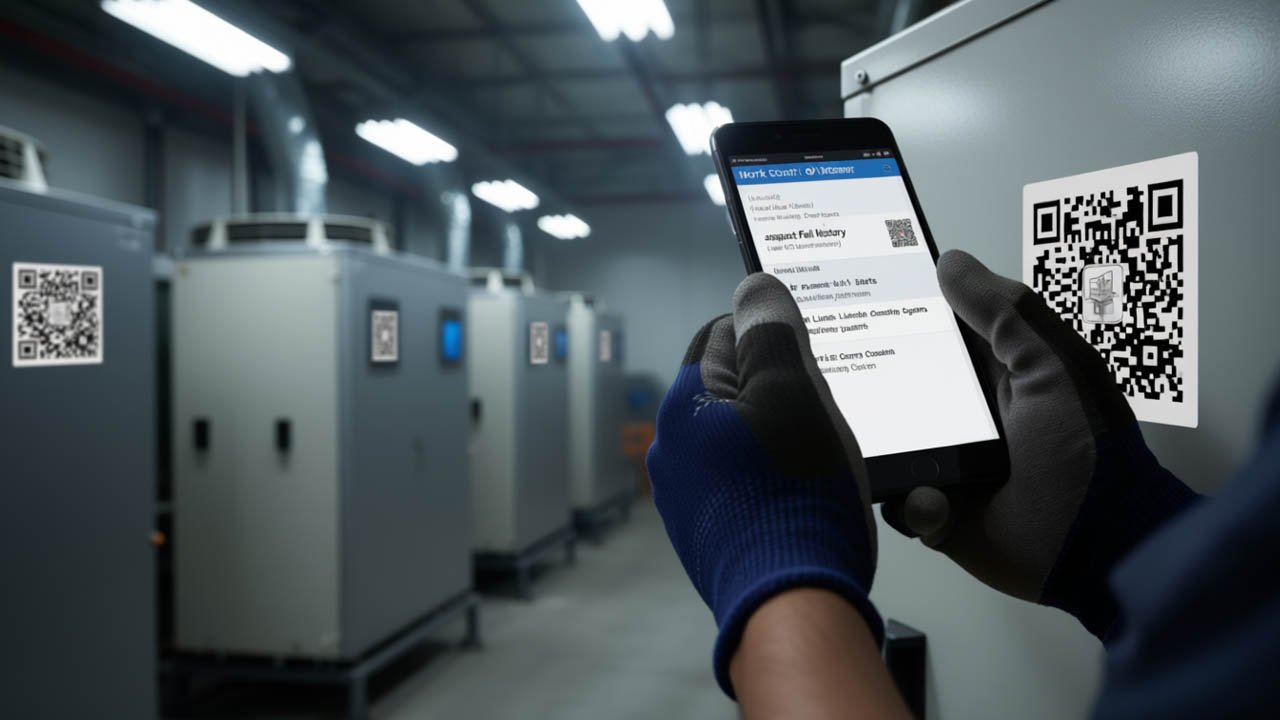
- Camera-Based Barcode & QR Scanning: Technicians scan an asset’s physical tag to instantly pull up equipment manuals, past work orders, and open tickets without typing asset serial numbers.
- Integrated Optical Capture: Photos of nameplates, thermal scans, and component wear attach directly to the work order record natively, preventing discrepancies regarding work completion.
- Voice-to-Text Dictation: Technicians working on ladders or wearing gloves can dictate comprehensive post-repair observations directly into field notes.
Capturing accurate, granular maintenance records requires making data entry faster than writing on a paper clipboard.
7. Custom Architecture vs. Commercial SaaS: Evaluating the Build vs. Buy Equation
As organizations scale, they frequently encounter the limitations of rigid, per-seat SaaS licensing models. Adding external contractors, cleaning staff, and junior technicians to commercial CMMS platforms can become prohibitively expensive.
Consequently, forward-looking engineering teams often evaluate hybrid approaches—combining robust backend APIs, custom relational databases, and open front-end application architectures.
| Strategic Metric | Commercial SaaS CMMS | Decoupled / Custom Architecture |
|---|---|---|
| Deployment Speed | Instant onboarding (Days) | Requires initial engineering sprint (Weeks) |
| Licensing Model | Per-user, recurring monthly fees | Infrastructure-based hosting costs |
| Data Sovereignty | Proprietary multi-tenant cloud | Full ownership of internal databases |
| Integration Freedom | Limited to vendor marketplace connectors | Unrestricted REST API / Webhook integration |
| Workflow Adaptability | Constrained by vendor product roadmap | 100% customizable to exact company SOPs |
For mid-sized organizations with specialized operational requirements, building a secure, custom work order portal using decoupled microservices or flexible open-source CMS databases offers complete functional control without recurring per-seat penalties.
The Work Order Software Features RFP Checklist
When preparing a Request for Proposal (RFP) for your next maintenance software deployment, use this evaluation checklist to screen prospective vendors:
- [ ] Relational Asset Hierarchies: Does the system support multi-tier parent-child mapping down to component-level serial numbers?
- [ ] True Offline Sync: Can technicians update checklists, review schematics, and record parts without active network coverage?
- [ ] Dynamic Priority Logic: Can priority rules be automated based on safety risk, downtime cost, and asset criticality?
- [ ] Bidirectional Inventory Allocation: Does completing a work order automatically deduct consumed parts from active inventory databases?
- [ ] Native Telemetry Ingestion: Does the platform accept automated incoming webhooks from BMS, PLC, or SCADA systems?
- [ ] Field Hardware Integration: Does the mobile client feature native barcode scanning and hands-free voice dictation?
- [ ] Granular Role-Based Access: Can views and capabilities be customized across managers, technicians, and third-party contractors?
Frequently Asked Questions (FAQ)
What are the most important work order software features for field technicians?
The most critical features for field technicians are an offline-first mobile interface, native barcode/QR code scanning, integrated camera documentation, and rapid voice-to-text dictation. If technicians cannot access schematics or log work in areas with poor cellular reception, field adoption drops significantly.
How does asset hierarchy mapping improve maintenance performance?
Asset hierarchy mapping links individual components to their parent machinery and surrounding facility zones. When a failure occurs, technicians can immediately see upstream dependencies and downstream impacts, reducing diagnostic time by up to 25% per complex ticket.
Why do basic digital ticketing systems fail as work order software?
Basic ticketing systems lack maintenance-specific relational data models. They cannot track equipment runtime hours, reserve MRO spare parts, map asset hierarchies, or integrate with industrial telemetry systems. Treating equipment maintenance like an IT helpdesk ticket leads to data silos and reactive repairs.
What is the difference between reactive and telemetry-driven work orders?
Reactive work orders are submitted manually by building occupants or operators after a component has noticeably failed or degraded. Telemetry-driven work orders are generated automatically when IoT sensors or building automation systems detect abnormal conditions, enabling maintenance before physical failure occurs.
The Bottom Line
A modern work order management system should serve as an operational engine, not a glorified digital notepad. The baseline ability to dispatch tasks and check boxes is table stakes.
The work order software features that generate true return on investment are those that streamline diagnostic workflows, protect data integrity in low-connectivity areas, and connect equipment telemetry directly to field technicians.
Whether your organization deploys a dedicated enterprise SaaS platform or architects a flexible, custom internal solution, prioritizing relational asset structures, offline data persistence, and automated inventory reservation ensures your maintenance operations scale smoothly for years to come.