
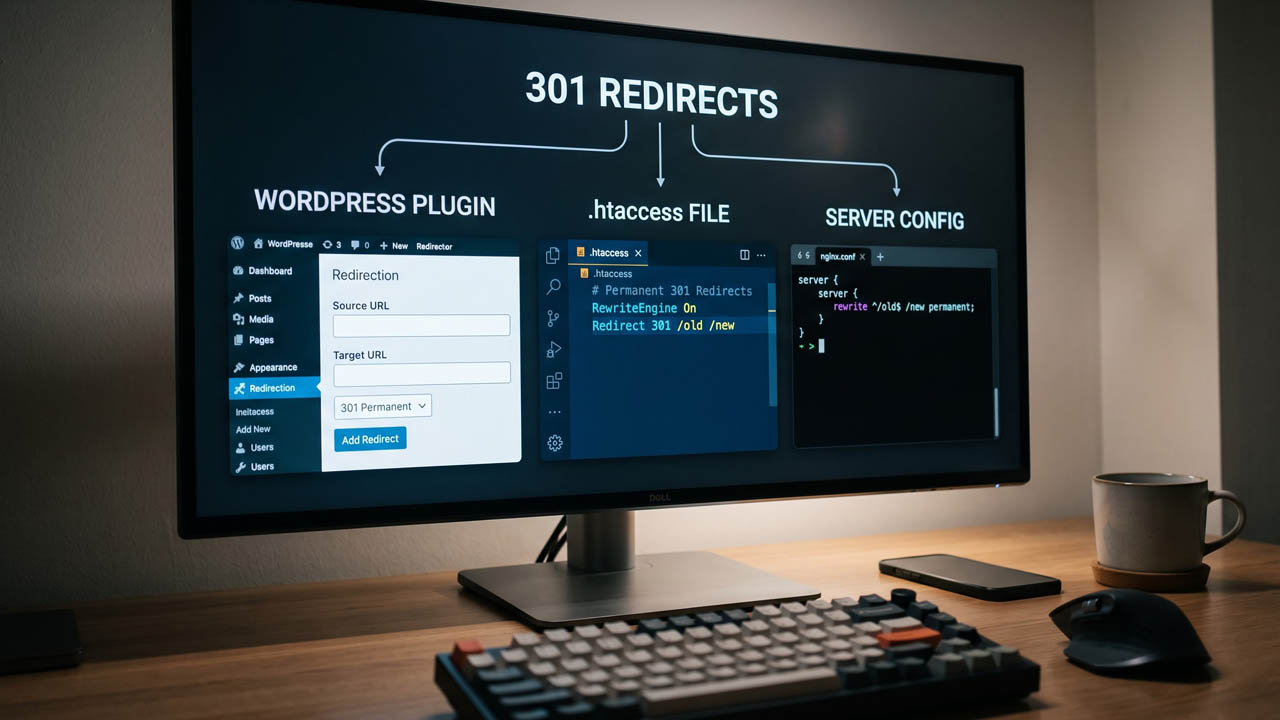
A redirect that works is not the same as a redirect that costs nothing. On a default WordPress install, a redirect added through a plugin boots PHP, loads every active plugin, and queries the database before it can send a three-line HTTP response. The same redirect written in .htaccess is handled by the web server before WordPress even starts. The visitor sees the same 301 either way, which is why the choice usually gets made by whoever has file access rather than by what the request actually costs.
This guide compares the three places a WordPress redirect can live — a plugin, .htaccess, and the server configuration — on the things that decide the outcome: where in the request lifecycle each one runs, what syntax it needs, what breaks when you pick wrong, and how to confirm a redirect is a single hop and not a five-hop chain.
What a 301 Actually Does
A 301 is a response code, not a WordPress feature. The server answers the request with:
HTTP/1.1 301 Moved Permanently
Location: https://example.com/new-page/
The browser then requests the new URL. Two consequences follow, and both cause real trouble.
Browsers cache 301s aggressively. Chrome can hold a permanent redirect effectively until its cache is cleared, so a mistake you fix on the server may keep redirecting for you and nobody else. While you are still testing, use a 302, or test in a private window. Only switch to 301 once the destination is final.
301 can change the request method. For a form submission, a 301 or 302 may be followed as a GET, dropping the POST body. If you need the method preserved, use 308, which is also permanent.
For search, Google’s redirect documentation is explicit: with a permanent redirect, “the indexing pipeline uses the redirect as a signal that the redirect target should be canonical.” With a temporary redirect, the old URL stays in results. The same page ranks implementations by how reliably Google interprets them, and server-side redirects come first — ahead of meta refresh, and well ahead of JavaScript.
So the question is not whether to use a 301. It is which layer should serve it.
The Three Layers, in the Order They Run
Every request to a WordPress site passes through the same stages. A redirect placed at an earlier stage prevents everything after it from running.
| Stage | What handles it | WordPress loaded? | Where you edit it |
|---|---|---|---|
| 1. Web server | Nginx config, Apache vhost | No | Server config files |
| 2. Directory config | .htaccess (Apache, LiteSpeed) | No | Site root via FTP/SFTP |
| 3. PHP | Plugin, functions.php | Yes | WP admin or theme files |
Three facts about that table matter more than the rest of this article:
- Nginx ignores
.htaccessentirely. It does not read the file, does not warn you, and does not error. A.htaccessredirect on an Nginx host simply does nothing. - Apache only reads
.htaccessifAllowOverridepermits it. If the host setsAllowOverride None, your rules are skipped silently and the request falls through to WordPress. - A plugin redirect runs last. It is the most expensive option, and also the only one available to someone without file or server access.
Method 1: The Plugin
The usual choice is the Redirection plugin, though SEO plugins increasingly bundle a redirect module. Our roundup of free WordPress SEO plugins covers which ones include it.
What you get that the other two methods cannot offer:
- A list of every redirect with a hit counter, so you can see which ones are still earning their place
- A 404 log, which is where new redirects should come from
- Regex matching without editing a config file
- Import and export, which turns a migration into a CSV instead of 200 hand-typed rules
- No file access and no server restart
Basic setup:
- Install and activate the plugin
- Open Tools → Redirection and complete the setup
- Under Source URL, enter the path —
/old-page/, not the full domain - Under Target URL, enter the destination
- Set the type to 301 – Moved Permanently
- Save, then load the old URL in a private window and confirm the address bar changes
The cost is structural. Every request, including the ones that 404, now runs through WordPress: PHP starts, every active plugin loads, the database is queried, and only then does the plugin decide to redirect. On a lean site that is tens of milliseconds of server time. On a site with 40 plugins it is more, and it is paid on every single redirect hit — including the ones from bots that will never convert.
That trade is usually correct. A site owner who cannot reach the server files should not be hand-editing .htaccess, and a redirect table you can audit beats a config file nobody remembers editing. Just do not pick the plugin because it is the most visible option.
Method 2: .htaccess
If the site runs on Apache or LiteSpeed, .htaccess gives you server-level speed with a file you can still edit over SFTP. Apache’s mod_alias handles the simple cases; mod_rewrite handles everything else.
A single URL, one line:
Redirect 301 /old-page/ https://example.com/new-page/
A whole path prefix, using RedirectMatch with a capture group:
RedirectMatch 301 ^/blog/(.*)$ https://example.com/articles/$1
The same thing with mod_rewrite, which is what most tutorials show:
<IfModule mod_rewrite.c>
RewriteEngine On
RewriteRule ^old-page/?$ /new-page/ [R=301,L]
RewriteRule ^old-shop/(.*)$ /store/$1 [R=301,L,QSA]
</IfModule>
Two flags carry most of the risk:
Lstops processing further rules. Without it, a later rule can rewrite your redirect again, and you get a chain.QSAappends the original query string.RewriteRulereplaces the query string by default, so?utm_source=newsletterdisappears without it.RedirectandRedirectMatchfrommod_aliasappend it automatically, which is one reason the one-liners are safer for simple moves.
Where the rules go
This is the part that fails most often. WordPress writes its own block into .htaccess, and that block ends with a catch-all that hands every request to index.php:
# Custom redirects belong here, above the WordPress block

Redirect 301 /old-page/ https://example.com/new-page/

# BEGIN WordPress
<IfModule mod_rewrite.c>
RewriteEngine On
RewriteBase /
RewriteRule ^index\.php$ - [L]
RewriteCond %{REQUEST_FILENAME} !-f
RewriteCond %{REQUEST_FILENAME} !-d
RewriteRule . /index.php [L]
</IfModule>
# END WordPress
Put your rules above # BEGIN WordPress. Below it, the catch-all has already routed the request to index.php and your rule never runs — or it runs and gets overwritten by the next request that triggers a permalink save.
And do not edit inside the # BEGIN WordPress / # END WordPress block. WordPress regenerates it whenever permalinks are saved, and several plugins rewrite it on their own. Anything you add inside is lost without notice.
Use one module per file. Mixing Redirect and RewriteRule in the same .htaccess is a well-known source of rules firing in an order you did not intend, and the debugging cost is not worth the one line you saved.
Method 3: Server Configuration (Nginx)
On Nginx, redirects belong in the server block using the ngx_http_rewrite_module, and there is no .htaccess fallback. You need root or panel-level access, and on shared hosting you usually do not have it.
For a single URL, return is the right tool:
location = /old-page/ {
    return 301 /new-page/;
}
For a prefix that maps to a new path, rewrite is the tool:
rewrite ^/old-shop/(.*)$ /store/$1 permanent;
The difference is not cosmetic. return sends the response immediately. rewrite ... permanent rebuilds the URI and restarts location matching, which is more work for the same result. Where a location block can express the rule, prefer return.
Apply and test:
sudo nginx -t && sudo systemctl reload nginx
nginx -t catches syntax errors before they take the site down. Never reload without it. A bad config plus a reload is how a redirect change becomes an outage.
Which Method to Use
| Situation | Use | Why |
|---|---|---|
| No file or server access | Plugin | It is the only option that works |
| One or two permanent moves | .htaccess | One line, zero PHP overhead |
| Site migration with hundreds of URLs | Plugin, then export | CSV mapping beats hand-typed rules |
| Redirect logic that must survive a plugin audit | .htaccess or server config | Not tied to a plugin staying active |
| Nginx host | Server config | .htaccess is ignored |
| Rules that change weekly | Plugin | Editable in the admin, no deploy |
| High-traffic site with many old URLs | .htaccess or server config | No WordPress bootstrap per hit |
A practical pattern that most teams land on: use the plugin while you are figuring out the mapping, then move the rules that will live forever into the server layer. The plugin’s 404 log is genuinely useful for discovering what needs redirecting. The permanent rules do not need to keep paying PHP for that discovery.
What Each Method Actually Costs
The gap is a full WordPress bootstrap. A plugin redirect, at minimum, loads wp-load.php, every active plugin, and at least one database query. A .htaccess or server redirect is evaluated inside the web server process and never reaches PHP.
Rather than trust a benchmark from someone else’s host, measure your own. This returns the time to first byte and the status for any URL:
curl -sI -o /dev/null -w "%{http_code} %{time_starttransfer}s\n" https://example.com/old-page/
Run it against a redirect handled by your plugin and one handled by .htaccess. The difference is what you are paying per redirect, and it scales with traffic, not with the number of rules. One redirect hit per minute does not matter. Ten thousand a day does.
Full caching hides this cost from most visitors, which is why the plugin often feels fine in testing and shows up later as origin load during a cache miss or a bot crawl. If you are already working through page speed optimisation, redirects sitting in PHP are one of the cheaper things to move out.
The Redirects WordPress Already Does for You
Before adding rules, know what core is already doing, because overlapping with it is how chains start.
redirect_canonical() in wp-includes/canonical.php normalises the requested URL against the canonical one. In practice it handles the trailing-slash mismatch: /old-page gets a 301 to /old-page/ when your permalink structure ends in a slash. It can also send a visitor to the scheme and host set in Settings → General.
redirect_guess_404_permalink() is the one that surprises people. When a request 404s, WordPress tries to guess the intended post from the URL and issues a 301 to its best guess. That is helpful for typos and unhelpful when it confidently redirects a dead URL to the wrong article. If a 404 seems to resolve to something unrelated, this is why.
You can see the effects of both in the function reference for redirect_canonical, and the plugin approach uses wp_redirect() under the hood, with an exit after it — a detail that matters if you ever write one by hand in a theme.
Debugging a Redirect That Loops or Chains
ERR_TOO_MANY_REDIRECTS almost always means a rule points at a URL that redirects back, or two layers disagree about the canonical host. Follow the whole chain instead of guessing:
curl -sIL -o /dev/null -w "%{url_effective} -> %{http_code} (%{num_redirects} hops)\n" https://example.com/old-page/
Read the output for two things:
num_redirectsabove 1. Every extra hop is another round trip and another place to lose the query string. Collapse it to a single 301 straight to the final URL.- A loop between
httpandhttps, or betweenwwwand non-www. Behind a reverse proxy such as Cloudflare, WordPress can see the request ashttpeven when the visitor is onhttps, soredirect_canonicalkeeps sending them back tohttps, the proxy terminates it again, and the loop never resolves. The fix is at the proxy or inwp-config.php, not in your redirect rules.
To see the headers for a single hop:
curl -sI https://example.com/old-page/ | head -n 5
If Location points at the same path you requested, or at a URL that also 301s, you have found the loop.
Keeping Redirects Useful for Search
A few habits separate a redirect set that keeps working from one that quietly rots:
- Point at the closest equivalent page, not the homepage. Mass-redirecting retired URLs to
/is treated as a soft 404 and teaches search engines nothing. - Fix internal links instead of relying on redirects. A redirect is a repair for external links you cannot edit, not a permanent routing layer for your own navigation. Our guide to structuring WordPress pages for SEO covers the URL decisions that reduce how many redirects you need.
- Keep the rules in place. Google’s guidance treats permanent redirects as permanent; removing them after a few months undoes the canonical signal you asked for.
- Source new rules from real 404s. Log them first, then redirect only the ones with traffic or backlinks. That is the same discipline as a broken link audit, applied to your own URLs.
- Update the sitemap. A sitemap listing URLs that immediately 301 is a wasted crawl.
If the redirects come out of a platform move, the mapping is the hard part, not the syntax. The approach in our WordPress.com to WordPress.org migration guide is the same one that keeps a domain change from turning into a traffic drop.
A Ten-Minute Verification Checklist
- Load the old URL in a private window — cached 301s will lie to you
- Confirm the final URL, not just that “it works”
- Run
curl -sILand checknum_redirectsis 1 - Confirm the query string survived if the URL had one
- Check the redirect works for both
httpandhttps - Check both
wwwand non-www - Confirm a 404 page still 404s (your rules did not swallow it)
- Save permalinks once, then re-test — that is when
.htaccessgets rewritten - Confirm the plugin or rule is still there after a cache purge
- Add the old URL to your notes with the date, so the next person knows why the rule exists
FAQ
Is a plugin or .htaccess faster for WordPress redirects?
.htaccess and server config are faster, because the redirect happens before PHP starts. A plugin redirect requires a full WordPress bootstrap on every hit. For a handful of low-traffic URLs the difference is negligible; for thousands of hits a day it is measurable origin load.
Does .htaccess work on Nginx?
No. Nginx does not read .htaccess at all, and it will not warn you. On an Nginx host you must put redirects in the server block and reload Nginx.
Where do I put redirects in .htaccess?
Above the # BEGIN WordPress block, never inside it. WordPress regenerates that block when permalinks are saved, and the catch-all rule inside it routes requests to index.php before your rules would run.
Do 301 redirects lose SEO value?
Google treats a permanent redirect as a signal that the destination should be canonical, so the destination is what gets indexed. Chains and redirects to irrelevant pages are what cause problems, not the status code itself.
Should I use 301 or 302?
301 when the move is permanent and you want the new URL in search results. 302 when the change is temporary and you want the old URL to keep its place. While you are still testing a destination, use 302 — browsers cache 301s for a long time.
How long should I keep a 301 redirect?
Google’s documentation treats permanent redirects as permanent. Removing them after a few months drops the signal you set up, especially for URLs that still have external links pointing at them.
Can I redirect a whole domain?
Yes, at the server level. In .htaccess, RewriteRule with a host condition or RedirectMatch on the path; in Nginx, a server block with server_name old.com returning a 301 to the new host. A plugin can do it too, but a domain-wide move is exactly the case where you want it handled before WordPress loads.
Leave a Reply