

Creating a visually appealing portfolio gallery is essential for photographers, designers, agencies, and anyone who wants to showcase their work professionally. Filterable galleries take this a step further by allowing visitors to sort through your content using categories, making navigation intuitive and user-friendly.
After testing numerous options, here are ten standout filterable gallery plugins that offer both free and premium versions, giving you flexibility whether you are just starting or need advanced functionality.
1. Portfolio Filter Gallery

Portfolio Filter Gallery is a versatile WordPress plugin that allows you to create responsive, filterable galleries for images and videos easily. It simplifies showcasing work by category, enabling visitors to sort through specific projects like “Photography” or “Web Design” without reloading the page.
Free Version Features:
- Filterable Galleries: Create galleries where users can click category buttons to instantly filter and view specific groups of images or videos.
- Responsive Lightbox: Includes a Bootstrap-based lightbox that is fully responsive and supports touch navigation for mobile devices.
- Masonry & Grid Layouts: Offers both a uniform Grid layout and a dynamic Pinterest-style Masonry layout that adapts to different image sizes.
- Video Support: Allows you to easily embed videos from YouTube and Vimeo directly into your portfolio grid and lightbox.
- Customization: Provides options to show/hide titles, number images, apply grayscale hover effects, and customize filter button colors.
Pro Version Features:
- Multiple Lightbox Styles: Unlocks additional premium lightboxes like Swipebox, PopTrox, and Viewer Lightbox for a unique viewing experience.
- URL-Based Filtering: Enables linking directly to a specific filter category (e.g., loading the page with “Web Design” pre-selected).
- Ajax Load More: Improves performance for large portfolios by loading items progressively using an “Ajax Load More” button.
- Advanced Sorting & Search: Adds controls for ascending/descending sorting, a shuffle button, and a search bar within the gallery.
- Unlimited Color Schemes: Offers unlimited color customization for filters and detailed styling options to match your brand perfectly.
2. Filter Gallery
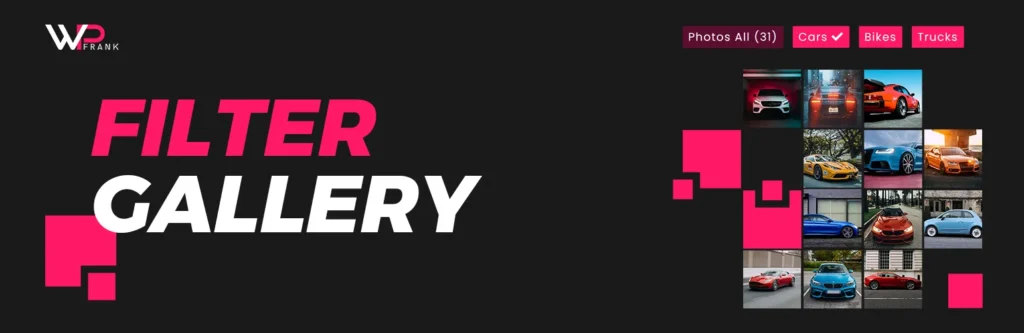
Filter Gallery is a lightweight and responsive WordPress plugin designed to create stunning, organized image showcases for portfolios, product catalogs, and photo albums. It enables you to easily categorize images with filters, allowing visitors to sort through content dynamically without reloading the page, all while ensuring a seamless viewing experience across mobile, tablet, and desktop devices.
Free Version Features:
- Fully Responsive Design: The gallery layout automatically adjusts to fit any screen size, ensuring your images look perfect on desktops, tablets, and smartphones.
- Filterable Categories: You can easily organize your images by assigning meaningful tags (filters), letting users sort and browse specific topics instantly.
- Built-in Lightbox: Includes a smooth, integrated lightbox viewer that allows visitors to click and view your images in full size without leaving the page.
- Drag-and-Drop Ordering: Managing your gallery is effortless with a simple drag-and-drop interface to reorder your images exactly how you want them.
- Page Builder Compatible: Works seamlessly with popular builders like Elementor, Divi, and Beaver Builder by simply pasting the generated shortcode into any text block
Pro Plugin Features:
- Multi-Level Filters: Create up to 5 levels deep unlimited filters in a gallery with bulk tagging or assigning to images.
- Parent and Child Filter: Unlock the ability to create complex structures with parent and child filters for deeper organization of large portfolios.
- Filter Button Styles: You can choose between 8 different types of filter button styles that match your website.
- Advanced Layout Options: Choose from multiple premium layout styles, including the popular Masonry grid and flexible multi-column displays (2, 3, or 4 columns), and search & sorting images.
- Linking: Gain the ability to link individual gallery images to external websites or internal pages, perfect for directing traffic to project details or products.
- Enhanced Styling & Effects: Access advanced customization controls to change button colors, typography, and apply distinct hover animations to your images.
- Lazy Load: Using the load more and lazy load feature, you can create and load larger galleries on your website.
- Deep Link: Using the deep link feature, you can enable filter selection by URL parameters.
- SEO Optimization: Improves your site’s search engine visibility by allowing you to add custom “Alt” text to your gallery images.
3. Advance Portfolio Grid

Advance Portfolio Grid is a powerful and flexible WordPress plugin designed to help creative professionals and agencies build responsive portfolio grids and galleries easily. It offers a user-friendly interface with shortcode integration, allowing you to showcase projects, work samples, and featured content in visually appealing layouts that adapt to all devices.
Free Version Features:
- Responsive Grid & Slider: Create mobile-friendly portfolio grids and sliders that look great on any screen size.
- Page Builder Support: Fully compatible with Elementor and the Gutenberg block editor for easy layout design.
- Quick View Popup: Includes a built-in popup feature that allows visitors to view project details without leaving the page.
- Easy Shortcode System: Use simple shortcodes to display your portfolio anywhere on your website with custom parameters.
- Custom Post Type Support: You can display your own custom post type items within the portfolio grid.
Pro Version Features:
- Masonry Layout: Unlocks the popular Masonry grid layout for a more dynamic and modern portfolio presentation.
- Video & Gallery Support: Adds support for video content in grids/popups and creates image galleries for individual portfolio items.
- Advanced Filtering: Features Ajax-powered category filtering and “Load More” buttons for a smoother user experience.
- WooCommerce Integration: Allows you to showcase your WooCommerce products effectively as a portfolio grid.
- Extensive Styling Options: Includes 7 different portfolio skins, 6 quick-view styles, and 4 filter styles to match your branding perfectly.
4. Sight

Sight is a professional, completely free WordPress plugin by Code Supply Co. that allows you to create stunning, modern portfolios and image galleries without writing a single line of code. It offers a lightweight and fast solution to showcase your creative work with advanced styling options that are typically found in premium plugins.
Free Version Features:
- Zero Coding Required: Designed for beginners and professionals alike, it features a simple dashboard that lets you build beautiful portfolios effortlessly.
- Fully Responsive Design: Your portfolio automatically adapts to any screen size, ensuring a perfect display on mobile devices, tablets, and desktops.
- Built-in Lightbox: Includes an elegant lightbox viewer that allows visitors to view your images and videos in full screen without leaving the page.
- Multiple Layout Options: Choose between a clean Grid layout or a dynamic Justified layout to best suit your images and design style.
- Page Builder Support: Works seamlessly with popular page builders like Elementor and the Gutenberg block editor for flexible customization.
Pro Version Features:
- Video Support: Unlike many free plugins, Sight lets you embed videos from YouTube, Vimeo, or local files directly into your portfolio grid.
- Advanced Query Settings: Gives you deep control to filter and sort your portfolio items by category, date, or custom order to help clients find content faster.
- Typography & Color Control: Provides extensive options to customize fonts, colors, and hover effects to perfectly match your brand identity.
- Dedicated Portfolio Post Type: Creates a specific “Portfolio” section in your WordPress dashboard to keep your projects organized separately from blog posts.
- SEO Optimization: Built with clean, optimized code that helps your portfolio images and pages rank higher in search engine results.
5. Ultimate Portfolio
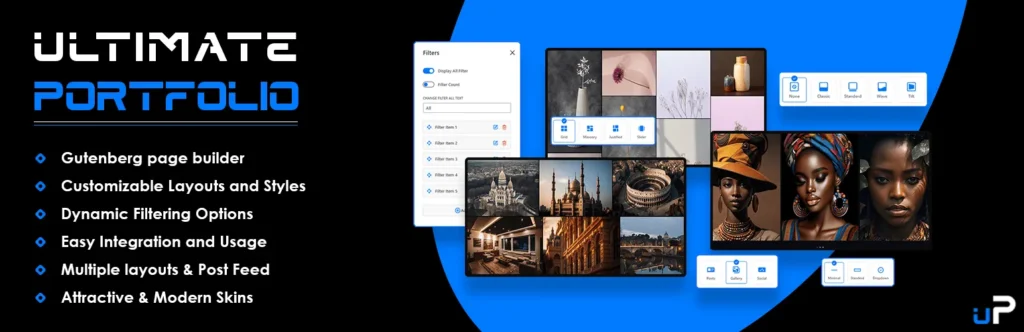
Ultimate Portfolio is a versatile and user-friendly WordPress plugin designed to create stunning, responsive portfolio galleries and sliders directly within the Gutenberg editor. It empowers photographers, designers, and creative professionals to showcase their work, blog posts, or WooCommerce products in elegant layouts without requiring any coding skills.
Free Version Features:
- Multiple Layout Options: Choose from Grid, Masonry, and Justified layouts to perfectly display your images and projects.
- Filterable Galleries: Includes single-level category filtering, allowing visitors to sort through your work effortlessly.
- Performance Optimized: Features built-in Lazy Loading functionality to ensure your website loads fast, even with image-heavy portfolios.
- Responsive Lightbox: Comes with an integrated lightbox viewer for full-screen image browsing on any device.
- Gutenberg Native: Designed specifically for the Block Editor, offering a drag-and-drop interface for easy setup on any page or post.
Pro Version Features:
- Carousel & Slider Layouts: Unlocks dynamic carousel and slider presentation modes with customizable animation effects.
- Advanced Filtering: Supports Multi-Level filtering and Deep Linking, allowing you to share specific portfolio filter views via URL.
- Social Media Integration: Seamlessly import and display content from platforms like Instagram, YouTube, Vimeo, and Flickr.
- Load More & Pagination: Adds “Load More” buttons and numeric pagination to handle large portfolios smoothly without cluttering the page.
- Enhanced Content Support: Offers advanced taxonomy options and priority email support to ensure your portfolio meets professional standards.
6. Portfolio WP
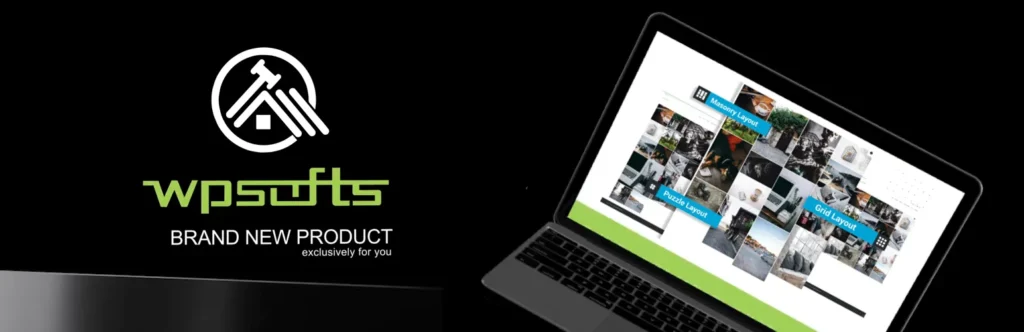
Portfolio WP is a versatile and responsive WordPress plugin designed to create stunning portfolios, photo galleries, product catalogs, and client showcases with ease. It offers a powerful built-in layout builder that allows you to manage and display your content in various formats—including grids, sliders, and masonry layouts—without needing any coding skills.
Free Version Features:
- Layout Builder: Includes an embedded builder to create a structure for portfolios, photo galleries, and team member grids effortlessly.
- Responsive Design: Ensures all your galleries and portfolios adapt perfectly to mobile, tablet, and desktop screens.
- Shortcode Support: Easily place your portfolio or gallery anywhere on your site (pages, posts, or widgets) using simple shortcodes.
- Popup Add-on: Comes with a built-in pop-up extension to display your portfolio items in an attractive modal view.
- Multipurpose Use: versatile enough to handle standard portfolios, product catalogs, image sliders, and client logo showcases.
Pro Version Features:
- 12+ Premium Layouts: Unlocks advanced layout styles such as masonry, puzzle, and carousel to give your portfolio a unique look.
- Video Support: Allows you to embed native videos from YouTube, Vimeo, and MP4 files directly into your gallery or pop-up.
- Advanced Filtering & Sorting: Adds category filtration to help users sort through projects and pagination to speed up gallery loading.
- Social Sharing: Enables social media sharing buttons on individual portfolio items so visitors can easily share your work.
- Extensive Customization: Provides over 100 effects (hover, overlay, caption animations) and unlimited styling options for a fully branded experience.
7. PowerFolio Portfolio

PowerFolio is a powerful and versatile WordPress plugin designed to create stunning, professional portfolios and image galleries instantly using Elementor, Gutenberg, or any other page builder. It offers fully responsive layouts, built-in filterable galleries, and extensive customization options, making it the perfect tool for creative professionals to showcase their work effortlessly.
Free Version Features:
- Seamless Page Builder Integration: Fully compatible with Elementor widgets and Gutenberg blocks, allowing you to drag and drop portfolio grids directly onto your pages.
- Filterable Galleries: Includes a built-in category filter that lets visitors sort and browse specific project types or image groups instantly.
- Multiple Layout Options: Choose from classic Boxed grids, dynamic Masonry layouts, or custom Packery designs to best display your content.
- Responsive & Mobile-Ready: Automatically adjusts columns and image sizes to ensure your portfolio looks perfect on desktops, tablets, and mobile devices.
- Customizable Hover Effects: Offers various CSS transition effects and hover animations to make your portfolio items interactive and engaging.
Pro Version Features:
- Advanced Grid Builder: Unlocks a powerful grid builder that lets you customize the exact width and height of individual items for unique, mosaic-style layouts.
- Portfolio Carousel Widget: Adds a dynamic carousel (slider) widget to your Elementor toolkit, perfect for showcasing featured projects in a compact space.
- Extended Grid Styles: Access exclusive “Special Grids” and creative layout styles like “Alternate Rows” that are not available in the free version.
- Pagination & Load More: Includes advanced navigation options like numeric pagination and “Load More” buttons to handle large portfolios smoothly.
- Video Lightbox Support: Enables support for YouTube and Vimeo videos directly within the lightbox popup, allowing for a multimedia-rich portfolio experience.
8. TLP Portfolio
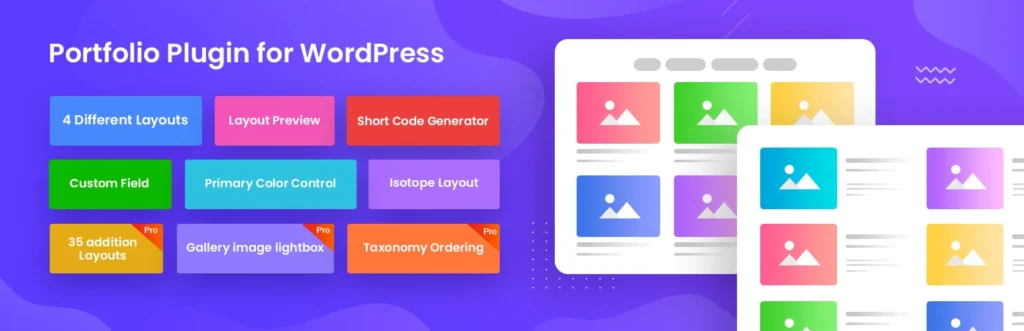
TLP Portfolio is a fully responsive WordPress plugin designed to professionally manage and showcase your creative work using highly customizable grid and Isotope layouts. It offers a user-friendly interface with dynamic filtering options, making it perfect for designers, photographers, and agencies to display their projects seamlessly across all devices.
Free Version Features (5 Points)
- Fully Responsive Design: Automatically adapts your portfolio layouts to look stunning on desktops, tablets, and mobile devices.
- Multiple Layout Options: Includes standard Grid and Isotope layouts that allow visitors to filter projects by category easily.
- Shortcode Generator: Features a built-in generator with layout previews, letting you easily embed portfolios into any page or post.
- Custom Meta Fields: Allows you to add detailed project information, such as short descriptions, external links, and tools used.
- Image Customization: Provides controls to adjust image sizes and primary colors to perfectly match your website’s branding.
Pro Version Features (5 Points)
- 50+ Advanced Layouts: Unlocks a massive library of premium layouts, including Masonry, Carousel sliders, and even grid variations.
- Drag-and-Drop Ordering: Offers an intuitive drag-and-drop interface to easily reorder your portfolio items and categories exactly how you want them.
- Page Builder Integration: Fully compatible with popular page builders like Elementor and Visual Composer for advanced design flexibility.
- Device-Specific Controls: Gives you precise control over how many columns are displayed on different devices (desktop, tablet, and mobile).
- Detail Page Popups: Enhances the user experience with stylish pop-up views for project details, complete with next/previous navigation buttons.
9. Photo Gallery by 10Web

Photo Gallery by 10Web offers a comprehensive set of options for creating responsive image galleries with appealing lightboxes. The plugin supports multiple view types and includes image protection features even in the free version, making it a well-rounded choice for various use cases.
Free Features:
- Multiple views, including masonry and mosaic
- Unlimited galleries and photo uploads
- Responsive lightbox with 15 effects
- Watermarking and right-click protection
- Social sharing to major platforms
Pro Features:
- Image commenting in lightbox
- Dynamic tag cloud widget
- Google Photos integration
- User role management for editing
- Automated social media feed updates
10. GS Portfolio

GS Portfolio is a powerful WordPress plugin designed to professionally showcase your creative work using responsive grid or masonry layouts. It allows you to display unlimited projects, create filterable galleries, and easily embed your portfolio anywhere on your site using shortcodes.
Free Features:
- Unlimited Portfolio Items: You can add as many projects or portfolio items as you want without any restrictions.
- Filterable Galleries: Visitors can easily filter and browse your work based on categories or tags.
- Responsive Grid Layout: The design automatically adapts to look perfect on mobile, tablet, and desktop devices.
- Shortcode Generator: Use the built-in generator to create shortcodes and place your portfolio on any page, post, or widget.
- Page Builder Compatibility: It works seamlessly with popular page builders like Elementor, Gutenberg, WPBakery, and Divi.
Pro Features:
- Extra Themes & Layouts: Get access to over 17 additional unique themes and layout styles for a distinct look.
- Advanced Hover & Popup Effects: Includes 5 different premium hover effects and various elegant popup styles.
- Advanced Settings Panel: Unlocks advanced options to change URL slugs (links) and customize how project links behave.
- Deep Customization: Gives you granular control over portfolio colors, typography, and overall design details.
- Priority Support: Pro users receive dedicated and fast customer support directly from the developers.
Choosing the Right Plugin
Each of these plugins brings something different, but consider your specific needs when making a decision. All ten plugins offer free versions that provide genuine functionality, so you can test each one before deciding whether the premium features are worth the investment for your particular use case.