
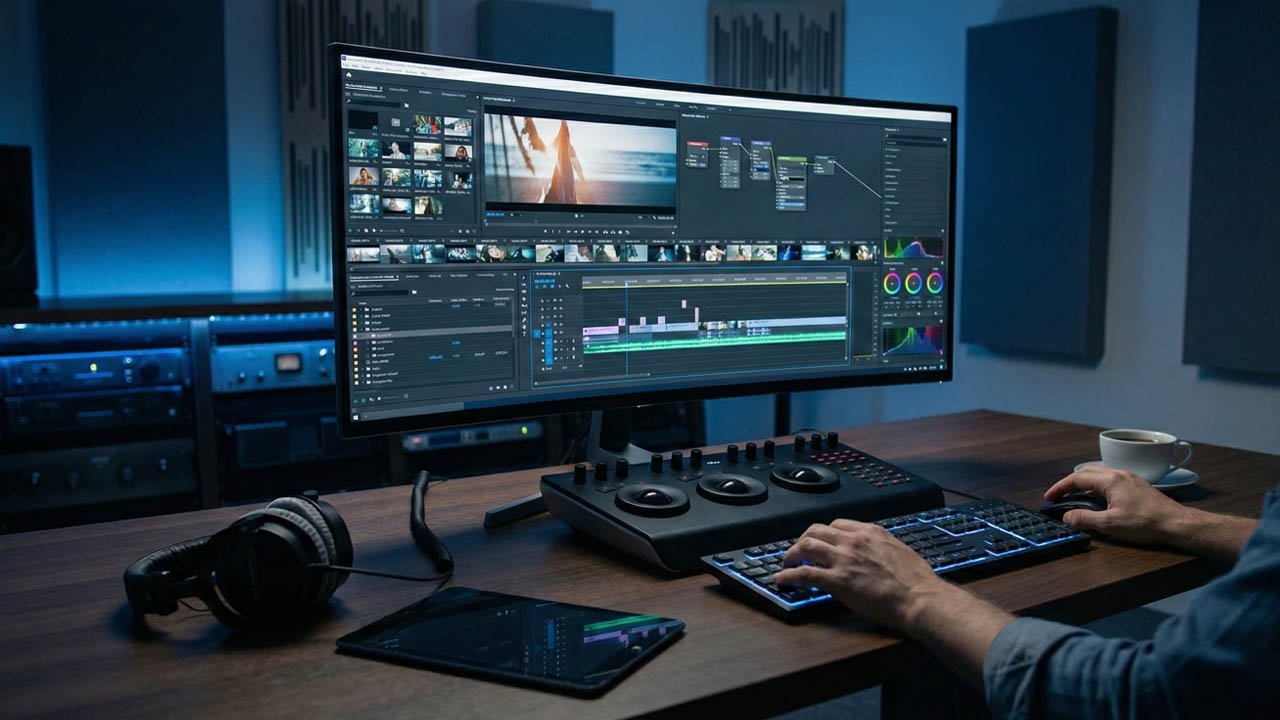
In the not-so-distant past, video editing was a discipline defined by technical friction. It was a world of proxy files, rendering bottlenecks, and the tedious manual synchronization of audio and video. Editors were often judged as much by their ability to troubleshoot codec errors as by their storytelling prowess. As we near the end of 2025, however, the script has been flipped. The toolset available to creators today—from Hollywood colorists to TikTok influencers—has undergone a fundamental transformation.
We are no longer just “cutting” video; we are generating it, remixing it, and collaborating on it in real-time across continents. The integration of Generative AI has moved beyond the gimmick phase into daily utility, solving problems that used to take hours in seconds. Meanwhile, the dichotomy between “professional” and “amateur” software has eroded. Mobile apps now handle 4K log footage, and desktop suites are adopting the vertical-first, fast-paced workflows of social media.
This article explores the definitive video editing tools of 2025, analyzing how the industry titans have evolved, how new disruptors are changing the game, and what this means for the human editor in an automated world.
1. The Desktop Titans: The “Big Three” in 2025
Despite the surge in mobile editing, the heavy lifting of cinema, broadcast, and long-form YouTube content still happens on the desktop. The “Big Three”—Adobe Premiere Pro, Blackmagic Design’s DaVinci Resolve, and Apple’s Final Cut Pro—remain the pillars of the industry, but their strategies have diverged significantly this year.
Adobe Premiere Pro 2025: The AI Workhorse
Adobe has spent 2025 aggressively integrating its Firefly AI model directly into the Premiere Pro timeline. The days of round-tripping to After Effects for simple object removal are largely over.
- Generative Extend: This is perhaps the most talked-about feature of the year. Editors often face the problem of a clip being just a few frames too short to hit a beat or cover a transition. Premiere’s Generative Extend now uses AI to synthesize new frames at the beginning or end of a clip, matching the lighting, grain, and motion perfectly. It effectively “invents” footage that was never shot, saving countless edits from the cutting room floor.
- Text-Based Editing 2.0: While introduced earlier, text-based editing has matured. It’s no longer just about deleting “umms” and “ahhs” (though it does that instantly). In 2025, editors can reorganize a documentary’s narrative structure simply by cutting and pasting sentences in the transcript window. The video timeline follows suit automatically.
- Media Intelligence: The new search panel allows editors to find footage not by file name, but by description. You can type “woman looking at sunset with a red scarf,” and the AI analyzes the visual content of your raw footage to present the exact clip.
DaVinci Resolve 19: The Colorist’s Command Center
Blackmagic Design continues to offer the industry’s most robust free version, but the Studio version (v19) has cemented itself as the superior all-in-one suite.
- IntelliTrack AI: Tracking objects for color grading or stabilization used to be a manual affair. The new IntelliTrack point tracker uses the DaVinci Neural Engine to lock onto subjects with frightening accuracy, even as they move behind obstacles. This powers everything from audio panning (where the sound moves with the person on screen) to complex visual effects.
- UltraNR & ColorSlice: DaVinci remains the king of color. The new UltraNR reduces digital noise in low-light footage without turning skin tones into wax—a common issue in previous noise reduction tools. Meanwhile, the ColorSlice tool gives colorists a vector-based way to adjust skin tones and specific hues that feels more like sculpting clay than manipulating digital sliders.
- Cloud Collaboration: Blackmagic Cloud has matured into a reliable ecosystem. It allows a synchronized workflow where an editor in London can cut the timeline while a colorist in LA grades the footage simultaneously, with changes updating in real-time.
Final Cut Pro (FCP): The Speed Demon
Apple has kept FCP lean and fast. While it lacks the sheer feature density of Resolve or the ecosystem of Adobe, it remains unrivaled in optimization for Apple Silicon.
- Magnetic Timeline & Machine Learning: FCP’s “magnetic timeline” continues to be its defining feature, preventing clip collisions and sync issues that plague other NLEs (Non-Linear Editors). In 2025, Apple has leaned heavily into on-device machine learning for tasks like instant voice isolation and background removal, which run locally on Mac chips without needing a cloud connection—a crucial privacy feature for some creators.
2. The Disruptors: Social-First and Text-First Editing
While the titans fight for the film industry, a parallel revolution has occurred in the creator economy. Speed and “virality” features are the currency here.
CapCut: The Democratization of VFX
It is impossible to discuss video editing in 2025 without acknowledging CapCut. Originally dismissed as a mobile companion to TikTok, the desktop version of CapCut is now a legitimate competitor to Premiere Pro for social content.
- The “Template” Economy: CapCut’s dominance lies in its library. It doesn’t just give you tools; it gives you trends. If a specific transition or text animation is viral on TikTok, it appears in CapCut within days.
- Smart Features: CapCut removes the technical barrier to entry. Features like “Auto-Velocity” (automatically timing speed ramps to music beats) and AI-generated subtitles with highlighted keywords are one-click operations. For creators churning out 3-5 videos a day, the friction-less nature of CapCut outweighs the deep technical controls of DaVinci Resolve.
Descript: The Editor for Non-Editors
Descript completely reimagined the interface of video editing by treating video like a Word document. In 2025, it remains the gold standard for podcasters and essayists.
- Overdub and Eye Contact: Descript’s AI voice cloning (Overdub) allows you to correct a spoken mistake by typing the new word. The AI generates the audio in the speaker’s voice. Furthermore, its “Eye Contact” feature uses AI to subtly shift a subject’s gaze to the camera lens, correcting the “reading off a script” look that plagues many YouTube videos.
3. The AI Revolution: Generative Video and Audio
The biggest shift in 2025 is that tools are no longer just modifying pixels; they are creating them.
Runway (Gen-3 Alpha and Beyond)
Runway has evolved from a web-based editor into a generative AI powerhouse. It is frequently used alongside traditional NLEs (Non-Linear Editors) to generate “B-roll.”
- Text-to-Video: If a documentary editor needs a shot of a “cyberpunk city in rain” to cover a transition, they no longer need to scour stock footage sites. They can generate it in Runway and drag it into their timeline.
- Inpainting and Green Screen: Runway’s “Green Screen” tool (rotoscoping) is arguably the fastest in the business, allowing editors to separate subjects from complex backgrounds in seconds, not hours.
Audio Intelligence
Bad audio ruins good video. Tools like Adobe Enhance Speech and Supertone Clear have made expensive microphones optional for many creators. These tools use AI to strip away reverb, traffic noise, and wind, isolating the human voice with studio-like quality. In 2025, we are also seeing “Music Remixing” tools standard in NLEs, where AI retimes a music track to end perfectly on the final cut, rearranging the verse and chorus automatically.
4. Hardware and The Cloud: The “Edit Anywhere” Workflow
The concept of the “edit bay”—a dark room with a powerful tower PC—is changing.
Browser-Based Editing
Tools like Clipchamp (now deeply integrated into Windows) and the web version of CapCut prove that you don’t need a dedicated GPU to edit video. Cloud rendering allows a Chromebook to edit 4K footage, as the heavy processing is offloaded to remote servers.
Frame.io and Camera-to-Cloud
For professional teams, the physical transfer of SD cards is becoming obsolete. Camera-to-Cloud (C2C) technology, spearheaded by Frame.io (an Adobe company), allows footage to upload to the cloud the moment the director yells cut. Editors can begin assembling the scene while the crew is still resetting the lights. In 2025, this technology has trickled down from cinema cameras to prosumer mirrorless cameras, making rapid-turnaround editing accessible to event videographers and wedding filmmakers.
Air Canvas: Scaling Assets After the Edit
For teams managing the assets behind those productions, Air Canvas takes a complementary approach. Rather than editing on the timeline, it focuses on what happens after footage is approved: resizing, reformatting, and adapting video assets across channels using AI, all from within a centralized brand library. For agencies and marketing teams juggling multiple campaigns, it removes the production bottleneck that typically follows the edit.
5. Choosing the Right Tool: A User Persona Guide
With so many options, the question is not “what is the best software,” but “what is the best software for you?”
For the Aspiring Filmmaker & Colorist
Winner: DaVinci Resolve 19
- Why: It offers the most robust color grading on the planet and a professional node-based workflow for VFX (Fusion). The free version is incredibly generous, and learning it prepares you for Hollywood workflows.
For the Career YouTuber & Agency Editor
Winner: Adobe Premiere Pro 2025
- Why: Ecosystem integration. The ability to dynamic-link with After Effects and Photoshop is unmatched. If you work in a team or an agency, Premiere is likely the standard language you all speak.
For the Social Media Manager & Influencer
Winner: CapCut (Desktop or Mobile)
- Why: Speed. If your goal is engagement on TikTok/Reels/Shorts, CapCut provides the fastest route from idea to publish. It handles captions and trendy effects better than the pro NLEs.
For the Podcaster & Corporate Communicator
Winner: Descript
- Why: It edits like a document. If you care more about the words being said than the cinematic grade of the footage, Descript allows you to edit the narrative structure faster than any timeline-based tool.
6. The Future Outlook: The Vanishing Timeline?
As we look toward 2026, the concept of the “timeline”—tracks of video laid out horizontally—is being challenged. We are moving toward prompt-based editing.
Imagine a workflow where, instead of manually cutting 10 minutes of footage down to 30 seconds, you type a prompt: “Create a 30-second high-energy teaser from this footage, focusing on the action shots and syncing cuts to the beat of the music.”
We are already seeing the early stages of this with “Auto-Cut” features in mobile apps. The professional tools will likely adopt this as a “first pass” assistant, generating a rough cut that the human editor then refines.
However, the human element remains vital. AI is excellent at execution but average at intent. It can make a cut technically smooth, but it doesn’t understand comedic timing or dramatic tension the way a human does. The role of the video editor is evolving from a “cutter” to a “director of post-production,” orchestrating AI tools to tell a story with greater efficiency than ever before.
Conclusion
The video editing tools of 2025 are powerful, accessible, and increasingly intelligent. Whether you are color-grading an indie film in DaVinci Resolve, extending a clip with generative AI in Premiere Pro, or creating a viral hit in CapCut, the barrier to creation has never been lower. The challenge now is no longer mastering the software, but mastering the art of storytelling in a world where content is infinite.
5 Advanced AI Video Editing Techniques for 2026
To stay competitive in the evolving landscape of digital media, editors must master these advanced AI-integrated workflows:
- AI-Powered Rotoscoping: Instead of manual masking, use neural engines to isolate subjects in complex backgrounds instantly.
- Neural Color Grading: Apply high-end cinematic LUTs that adapt dynamically to the lighting and skin tones of your specific footage.
- Generative In-Painting: Seamlessly remove unwanted objects from frames or extend backgrounds using generative fill tools within your NLE.
- AI Voice Isolation: Clean up low-quality field recordings using deep learning to separate dialogue from ambient noise with near-zero artifacts.
- Automated Scene Cutting: Use AI to detect scene changes and generate rough cuts based on pacing and music beats, saving hours of assembly time.
FAQ Section:
- What hardware is best for AI video editing? You need a GPU with high VRAM (8GB+) and dedicated AI cores (like NVIDIA Tensor cores) to handle real-time rendering.
- Can AI replace professional video editors? No, but it significantly accelerates the technical workflow, allowing editors to focus more on creative storytelling and pacing.